04.04.2024
International
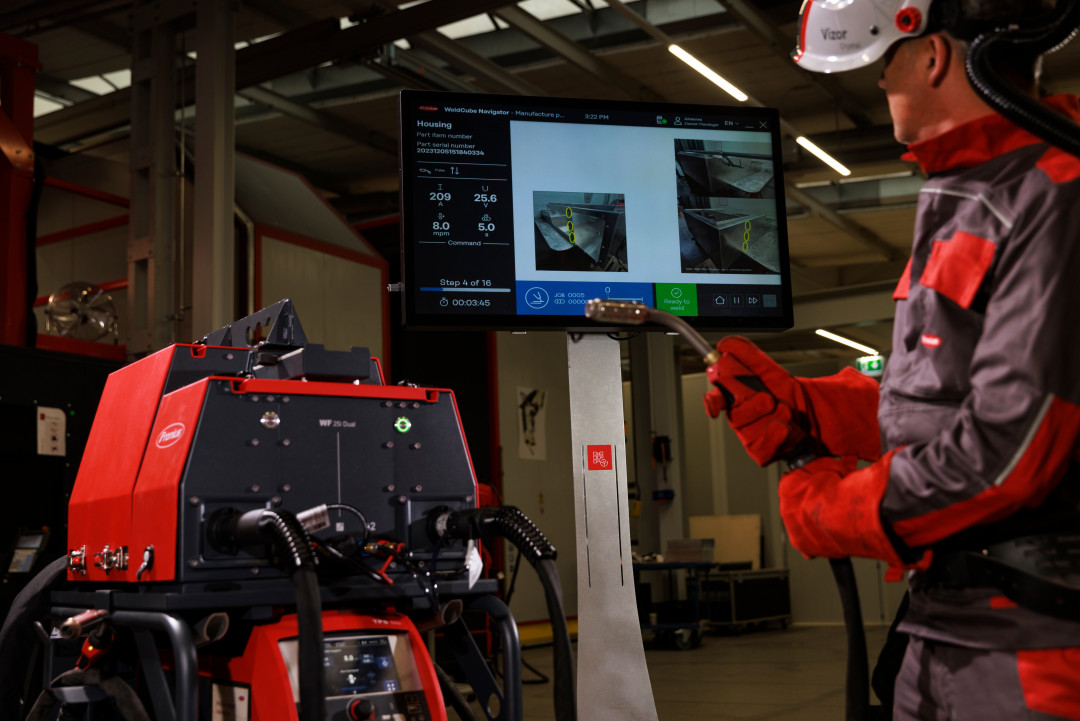
WeldCube Navigator for Step by Step Welding
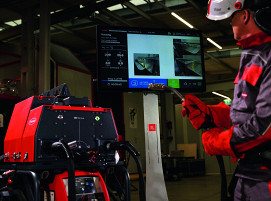
Fronius WeldCube Navigator facilitates welding with its integrated guidance function, illustrated step-by-step instructions, and fixed programmable welding parameters. In combination with the Dual Wire Feeder, welding specialists can also access two different wire spools. A trial version for obligation-free testing of the new Navigator is available.
Flawed weld joints in the manufacturing process can result in massive costs and have a negative impact on overall productivity and quality. Weld sequencing is an effective solution for quality assurance and a proven measure countering the increasing shortage of skilled workers.
Preventing welding errors in the production process right from the start saves time, money, and resources. “WeldCube Navigator is a great help in this sense,” says Anita Beck, strategic product management, industrial welding solutions at Fronius International GmbH. “The best welding sequence for the job is set as default in the instructions editor. All workers – whether highly experienced or not – follow the structured, uniform approach and complete the steps correctly within defined tolerances. This lets companies optimize their welding processes, reduce waste and manufacture to a high standard of quality.”
Digital welding sequence: Here’s how it works
The WeldCube Navigator software shows the welder what to do next at the workstation. An extra screen displays each work step for a component in the correct sequence, and the welding parameters of the respective job are set automatically. The worker is guided through their jobs step by step. This makes it easy to maintain the correct welding sequence and ensure that the defined parameters are appllied.
Keeping an eye on quality – and errors under control
If the worker deviates from the weld sequencing, the system will immediately flag it. And if it detects a deviation (limit violation) in seams that have been defined as safety-relevant, welding cannot be continued until released by a welding supervisor. This means errors are not repeated or duplicated, but corrected immediately.
For free trials of the the new WeldCube Navigator, contact Fronius.
(Source: Fronius GmbH Press Release)
Schlagworte
AutomationSoftwareWeldingWelding Seam